Create Your Template
Upload a sample report or template and watch Marker do the heavy lifting—we'll instantly generate a matching template in your district's exact format.
Next, make it yours by customizing every section down to the last detail.

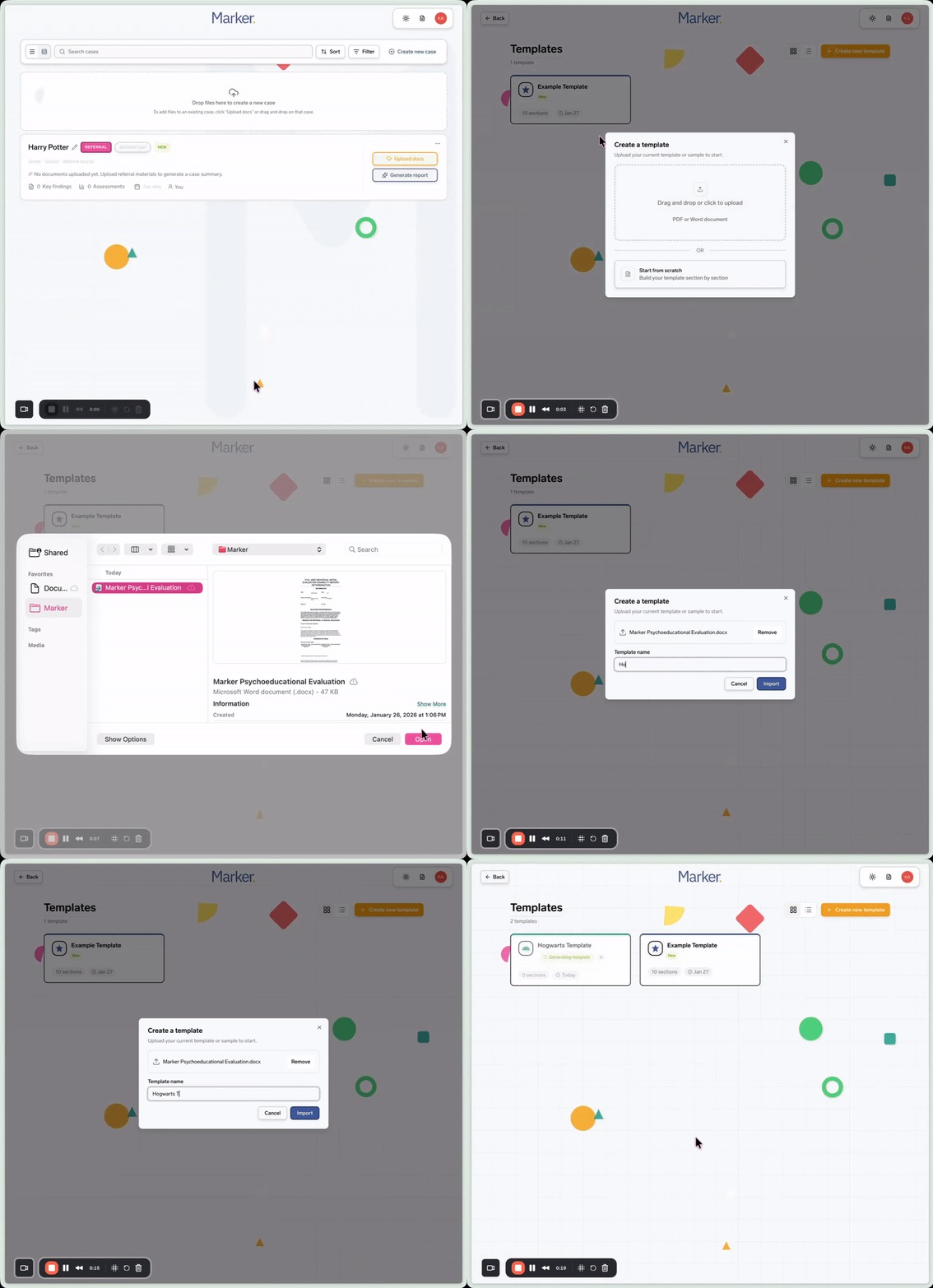

Template Creation Made Easy
Upload a sample report or template and let Marker learn your voice and format. Marker supports any report format you or your district uses, including but not limited to:
 Initial Evaluation Reports
- Re-Evaluation Reports
- REED Reports
- SLP Reports
- FBA Reports
- And more
Whether you like to write very thorough, long-form reports or a copy-and-paste-ready format for your IEP system, we can create a template that matches exactly how you need your final reports delivered.
Need help building your template?
Schedule a free 1:1 session with our team to get your template set up perfectly.
Here's How It Works
Remember: You only need one template to get started, and you can always add more later. Let's build your first one together!
Marker's AI will create a smart template inspired by your report.
For example: SLD Template or Cognitive-Only Template
Marker Must-Knows:
You can access your templates at any time by clicking on the document icon in the top right corner of Marker.
Test your template with a sample case. You can edit it anytime—and if you'd like extra help, book a 1:1 call with our team!
Use a template tailored to your IEP system for quick copy-and-paste; no reformatting required.
Don't forget - you can create unlimited templates!